Nurshia Launcher
Nurshia Launcherfor Windows and Linux
A free Minecraft: Java Edition launcher. It downloads and installs the game files, the right Java, Fabric, Forge or NeoForge, and the Modrinth mods you pick.
- Free
- Windows + Linux
- Microsoft sign-in
The first public build is being tested on Windows and Linux.
Version 0.1.0
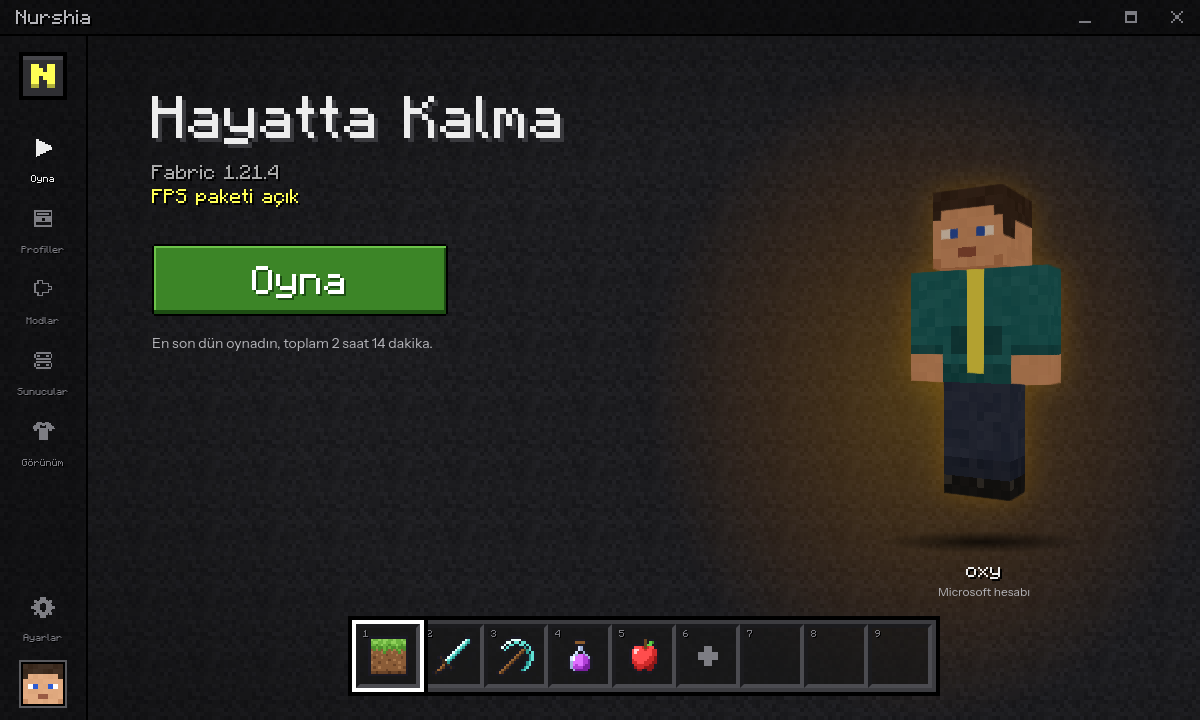
What's inside
Versions, Java, mod loaders and mods install from inside the launcher.
Press Play
Any release from 1.8.9 to the newest. The right Java version, Fabric, Forge or NeoForge are downloaded for you.
Modrinth built in
Search and install mods, resource packs, shaders and modpacks. Required dependencies come along automatically.
FPS pack
One switch installs Sodium, Lithium, FerriteCore and other performance mods that fit your version.
Server list
Colored MOTDs, player counts and ping, the same way the game shows them. Join a server in one click.
Skins and capes
A 3D preview and a skin library. Change your skin without opening a browser, and pick a Nurshia cape.
Profiles on a hotbar
Keep separate worlds, versions and mods side by side. Switch between them with keys 1 to 9.
Account and security
- You sign in on Microsoft's own page with a one-time code. Your password never touches the launcher.
- Sign-in tokens are kept in your system's keychain and are only sent to Microsoft, Xbox Live and Mojang.
- You need to own Minecraft: Java Edition. Offline play only unlocks after you add an account that owns the game.
- No ads, no analytics, no tracking.
Questions
Is it free?
Yes. There are no ads and nothing to buy.
Do I need to own Minecraft?
Yes. You sign in with the Microsoft account that owns Minecraft: Java Edition. Offline mode is only for people who have already added such an account.
Which versions and mod loaders work?
Every release Mojang publishes, from old versions like 1.8.9 to the newest one. Fabric for any version it supports, Forge from 1.13 and NeoForge.
Is this an official Minecraft launcher?
No. Nurshia Launcher is an independent project and is not affiliated with Mojang or Microsoft. The game itself is downloaded from Mojang's servers.